Pivot Partners built an AI order intake tool for a leading South African fine-wine distributor that turns customer purchase orders in any format into draft sales orders in Microsoft Dynamics 365 Business Central. A large language model reads the document. Deterministic checks then price every line from Business Central, confirm stock, units and vintages, and flag every exception for a person to resolve. The tool moved from prototype to controlled live use in October 2026.
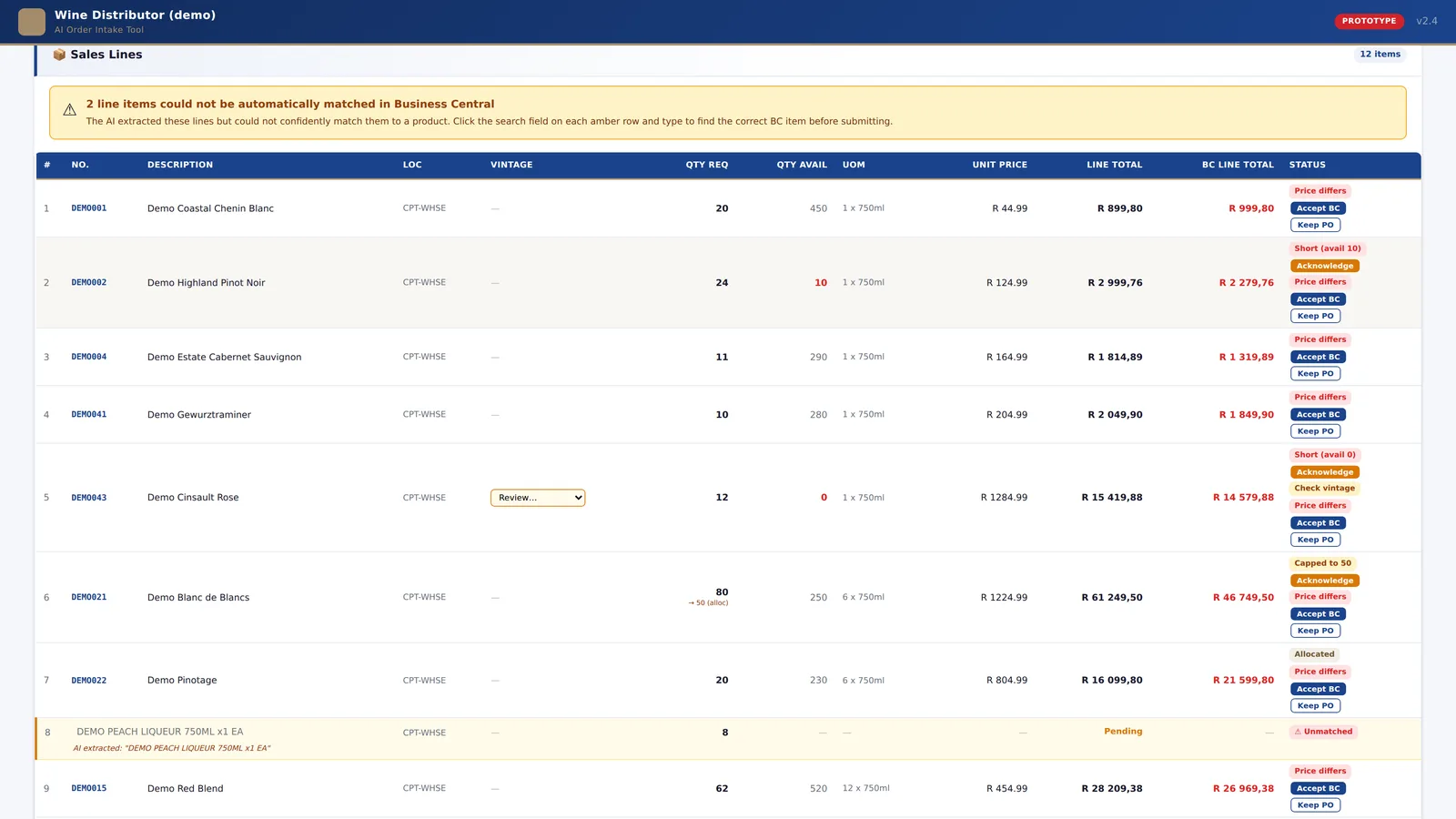
Why was order capture a problem?
The distributor supplies national retail chains, independent liquor stores, restaurants, hotels and lodges across South Africa. Each customer sends purchase orders its own way: retailer portal PDFs, supplier-portal exports, scanned pages, email attachments, order text typed into the body of an email, screenshots. The orders team re-keyed every line into Business Central by hand.
That is slow, and the errors that slip through are expensive. A case priced as a bottle. A deal price that has since expired. A vintage that is out of stock. With hundreds of products across two dozen customer price lists, and orders that run to 40-plus lines, a small slip on one line is easy to miss and costly to unwind.
What did we build?
A web tool that sits between the inbox and the ERP. A rep picks the customer, drops in the purchase order, and the tool does the reading, matching and checking. The rep confirms every flagged line, and a draft sales order lands in Business Central with the original document attached. Five steps, start to finish.
Customer
The rep searches the Business Central customer list and picks the account. Address, payment terms, warehouse and price group come from Business Central and are locked. Nothing is free-typed.
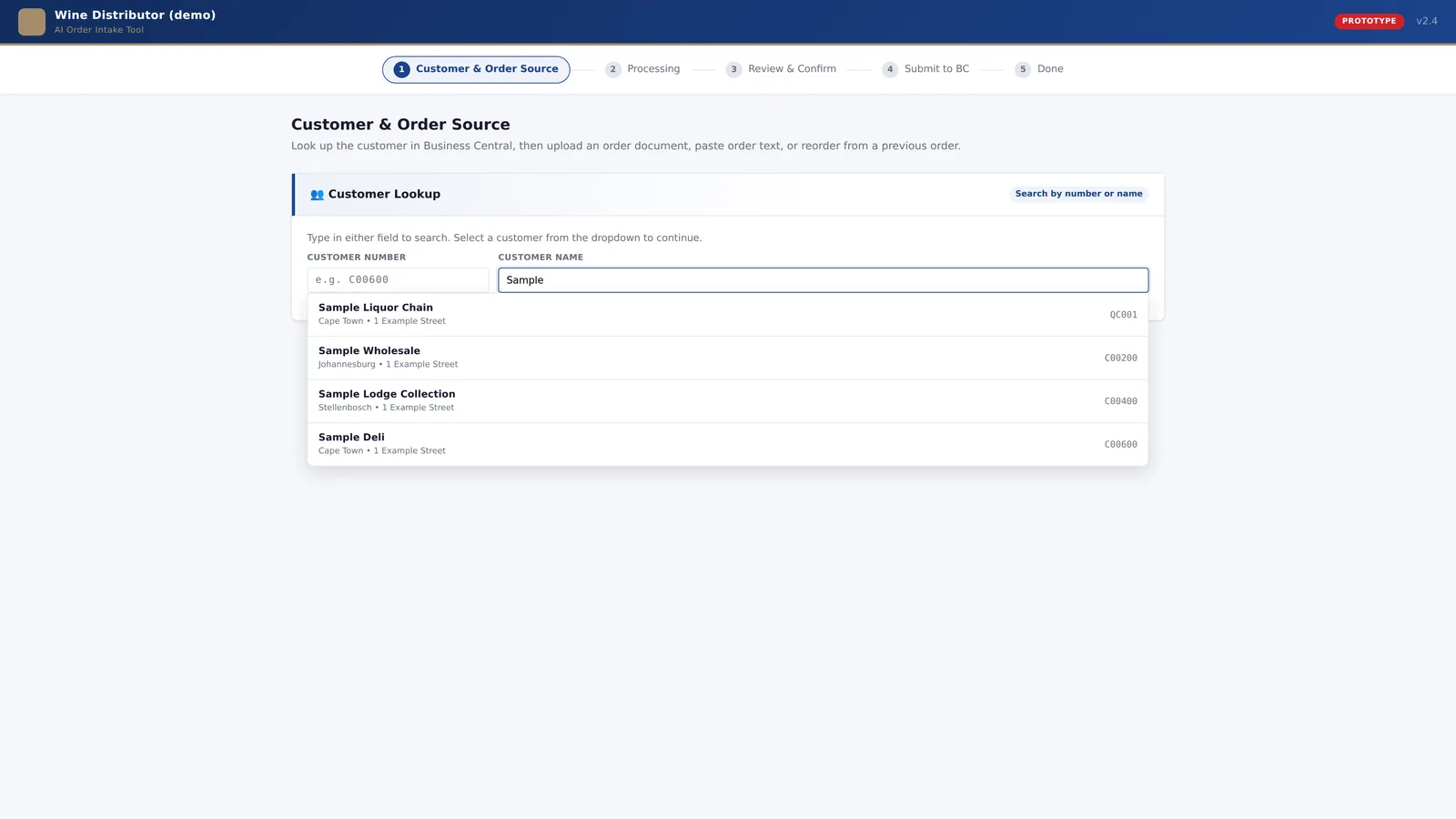
Order source
The rep drops in the purchase order as a PDF, image or document, pastes a screenshot, or pastes the order text. For repeat customers, they can also reorder from that account's history.
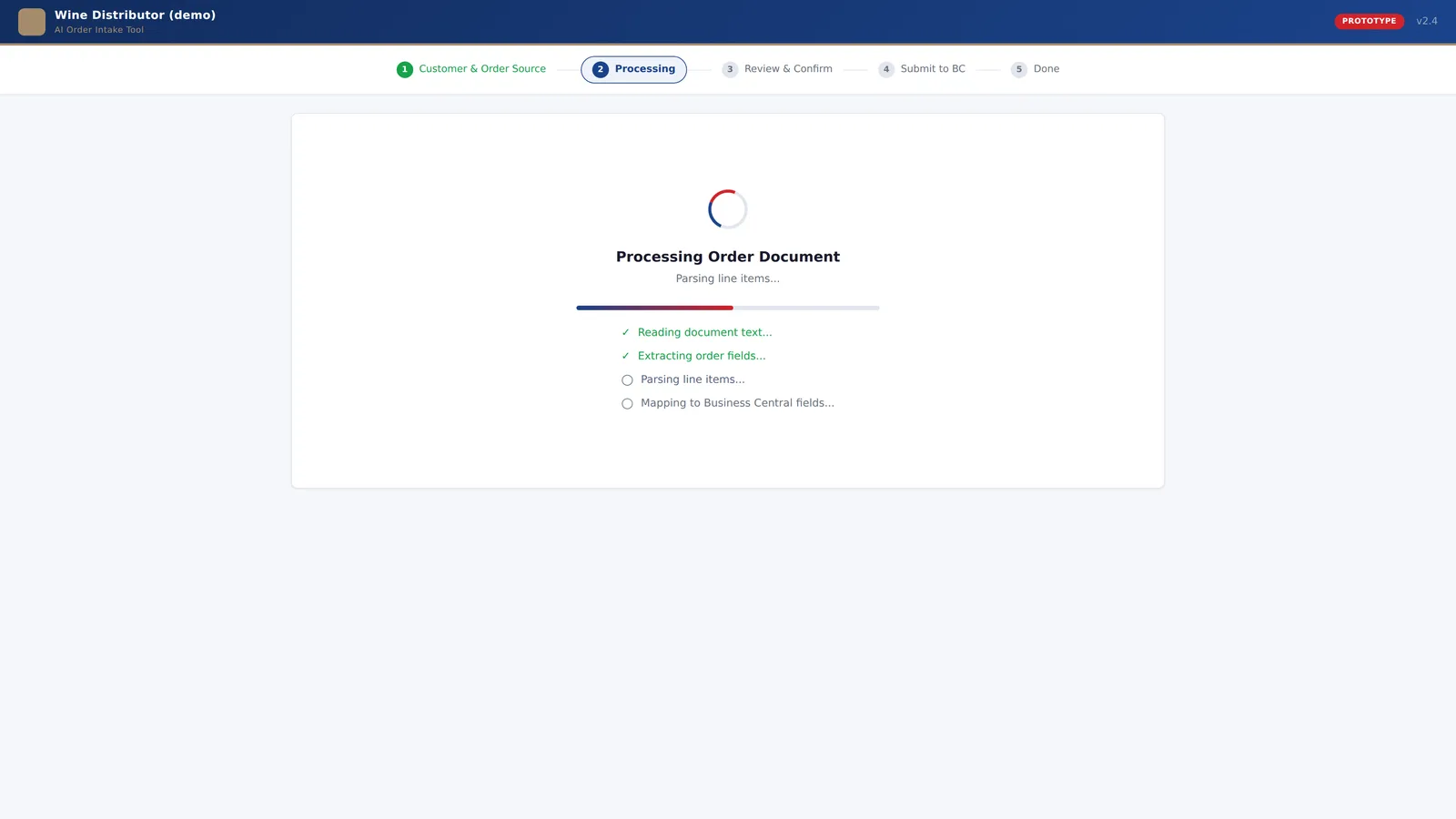
AI processing
A large language model reads the document, scanned and image-only pages included, and returns structured data: the order header (purchase order number, dates) and every line, with description, quantity, unit and the price shown on the document.
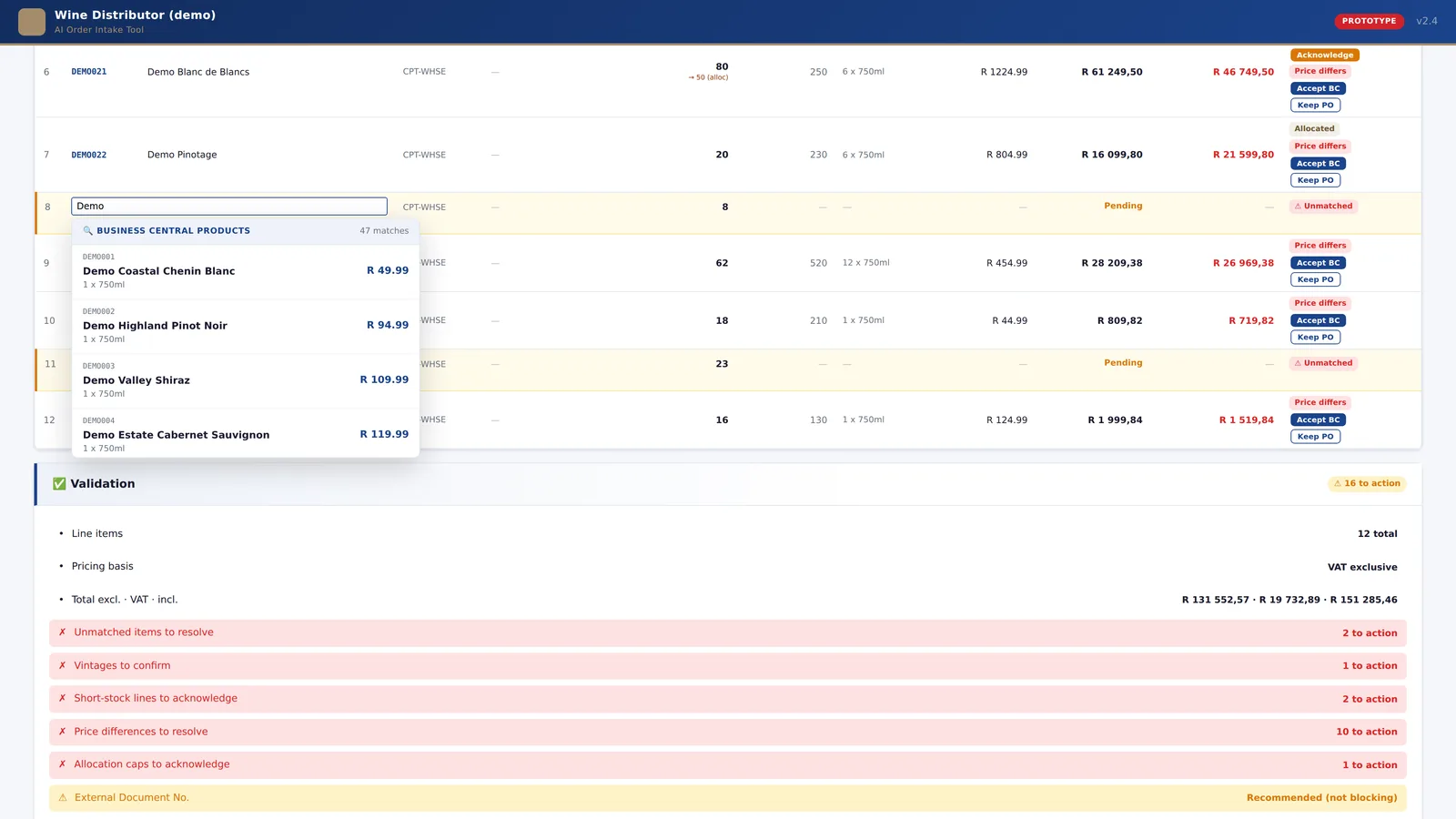
Review
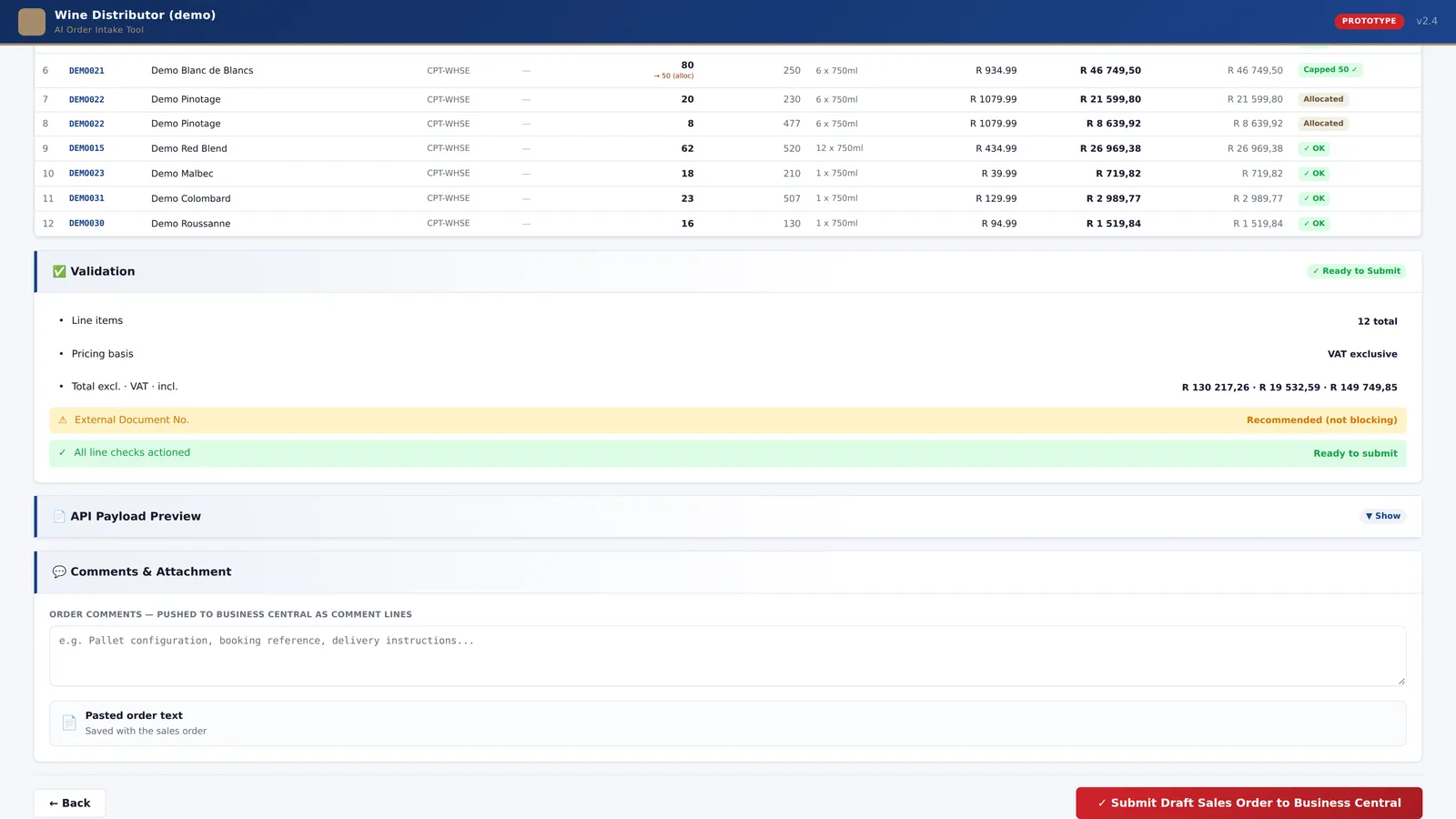
Each extracted line is matched to the live product catalogue with a confidence score, priced from the customer's own Business Central price group, and checked against warehouse stock, allocations, units of measure and vintages. Low-confidence matches are resolved in the row, with a search that filters the catalogue as the rep types. Every exception sits in one panel, and Submit stays locked until each one has been actioned.
Submit
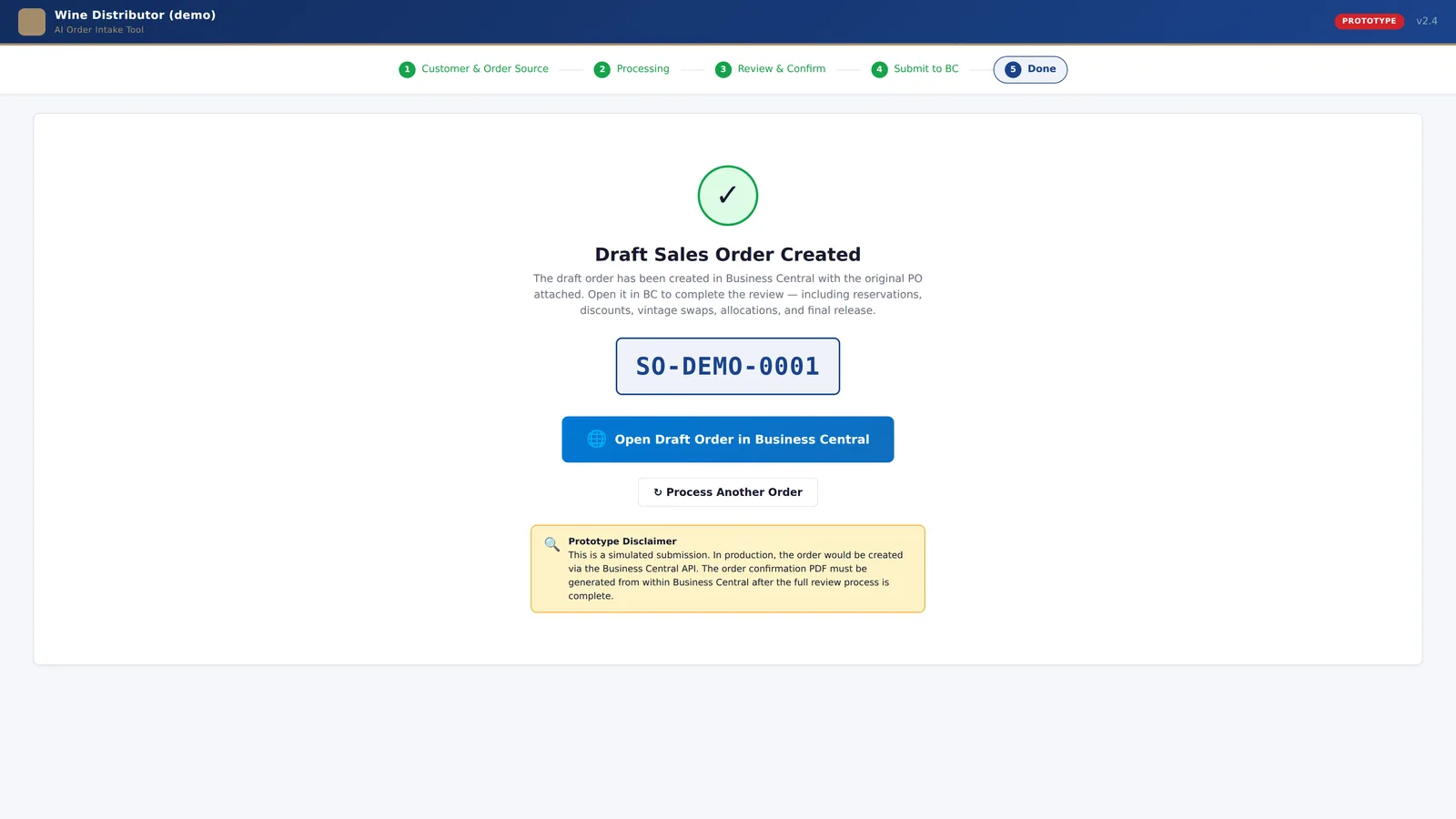
A draft sales order is created in Business Central through its API, with the source document attached and any notes carried across as comment lines. The order number is shown only once every line has posted or genuinely failed, so nobody is left guessing.
How does AI read purchase orders without templates?
The model does not know in advance which retailer sent the order or what the page looks like. It reads the document as a person would, whether that is a portal export, a scanned page, a photo or a screenshot, and returns the same structured result every time. There are no per-customer templates to build or maintain, so a new customer format needs no new code.
The tool is model-agnostic. Calls go through OpenRouter, a routing layer over several model providers, so the model can be swapped on cost, speed or accuracy without a rebuild. Large orders are read within a shared time budget: a 45-line scanned order caused timeouts early on, so the model calls now share one budget and a retry is skipped if it cannot finish in time.
Where is the AI deliberately not used?
This is the part we would build the same way again. The AI reads. Everything that decides money or stock is deterministic, explainable and testable, and a person has the final say.
The AI reads
- Any layout. Different retailers, scanned pages, photos, screenshots, emails.
- No templates. One extraction step for every customer.
- Swappable model. Routed through OpenRouter, so the model can change without a rebuild.
- The price on the document. Read only so it can be compared with Business Central, never used as the price.
Rules decide
- Product matching uses fuzzy text similarity against the live catalogue, with confidence bands. Low-confidence lines go to a person. The AI never invents a product code.
- Price always comes from Business Central for that customer's price group. Any difference from the purchase order, even a few cents, is flagged, and the rep chooses which price to use.
- Case versus bottle. When a purchase order quotes a per-bottle price on a case line, the ratio between the two prices equals the pack size. The tool blocks submission and offers the corrected figure.
- Units of measure are validated against the item card, so a unit Business Central would reject can never be chosen.
- No carried-over prices. Deals can be temporary, so every order is priced fresh.
- Reporting-only items are filtered out and can never be matched.
- Duplicate-proof submission. A retry cannot create a second order.
The AI does the reading. Business Central and a person stay accountable for price and stock.
How was it delivered?
We started with a clickable prototype and tested it with the orders team and stakeholders before writing any integration code. It went through two rounds of changes and was formally approved in June 2026. That meant the production build started with a flow people had already used and agreed on.
Production followed from June to August 2026: a Next.js application hosted on Vercel, reading Business Central customers, products, price lists, units of measure and warehouse stock from daily feeds in Microsoft Fabric, so the app works from clean tables instead of querying the ERP on every click. Draft sales orders are written back through the Business Central API via a small gateway service. Uploaded purchase orders are stored with each order for audit, and sign-in is by email one-time code. Issues were tracked in our own backlog and mirrored to the client's Microsoft Planner so both sides saw the same list.
Testing ran on a Business Central test company first, then against live data, iterating on real orders: units of measure, pricing, stock, vintages. On 2 October 2026 the tool entered controlled live use, writing real orders into live Business Central, ring-fenced to two national retail accounts and a small group of reps. The rollout widens from there.
Most of the hard problems were in the data, not the AI
Price lists with no unit of measure on most rows. Items that exist only for reporting. Blank vintages that Business Central silently rejected. The model read the documents well from the start; the real work was making the ERP data trustworthy enough to act on. Some fixes were code. Others came from the client's own data team publishing what was missing, such as the unit-of-measure table landing in Fabric in September. We fixed the data with them, not around them, which is why the tool keeps working after we step back.
What has changed?
The tool has been in controlled live use since October 2026. We will add measured figures once the controlled phase has run long enough to report them honestly. What is already true:
- Every order is priced from Business Central, for that customer, on the day. No price is typed or remembered.
- Every exception, whether a price difference, short stock, an allocation cap, a vintage query or an unmatched item, is surfaced to a person before anything reaches the ERP.
- During testing on real purchase orders, the case-versus-bottle check caught a line priced per bottle on a case quantity before it reached the ERP.
- A new customer format needs no new template and no new code.
- Every draft sales order carries its source document, so anyone in the business can see where it came from.
The screens on this page show the approved prototype interface, rendered with illustrative data. The production application follows the same five-step flow on live Business Central data.
Questions we get asked
Can AI read purchase orders in different formats without templates?
Yes. The tool uses a vision-capable large language model to read PDFs, scans, screenshots and pasted text, with no per-customer templates. A new customer format needs no new code.
Does the AI set prices?
No. Prices come from the customer's own price group in Microsoft Dynamics 365 Business Central. The AI only reads the price on the purchase order so that any difference can be flagged for a person to decide.
Does it work with Microsoft Dynamics 365 Business Central?
Yes. It reads customers, products, prices, units of measure and warehouse stock from Business Central via daily feeds in Microsoft Fabric, and writes draft sales orders back through the Business Central API, with the source document attached.
How long did it take?
About four months from approved prototype to controlled live use. The clickable prototype was approved in June 2026, production was built from June to August, and the tool went live with real orders on 2 October 2026, ring-fenced to two retail accounts and a small group of users.
What happens when the AI is not sure about a product?
Each extracted line is matched to the live product catalogue with fuzzy text similarity and given a confidence score. Low-confidence lines are flagged, and the user resolves them with an inline search against the catalogue. The AI never invents a product code, and the order cannot be submitted until every flagged line has been actioned.
Have a process your team re-keys by hand?
Order capture is one example. The same shape, an AI that reads and rules that decide, fits invoices, delivery notes, supplier price updates and most of the paperwork that still gets typed into an ERP. If there is a process like that in your business, we should talk.